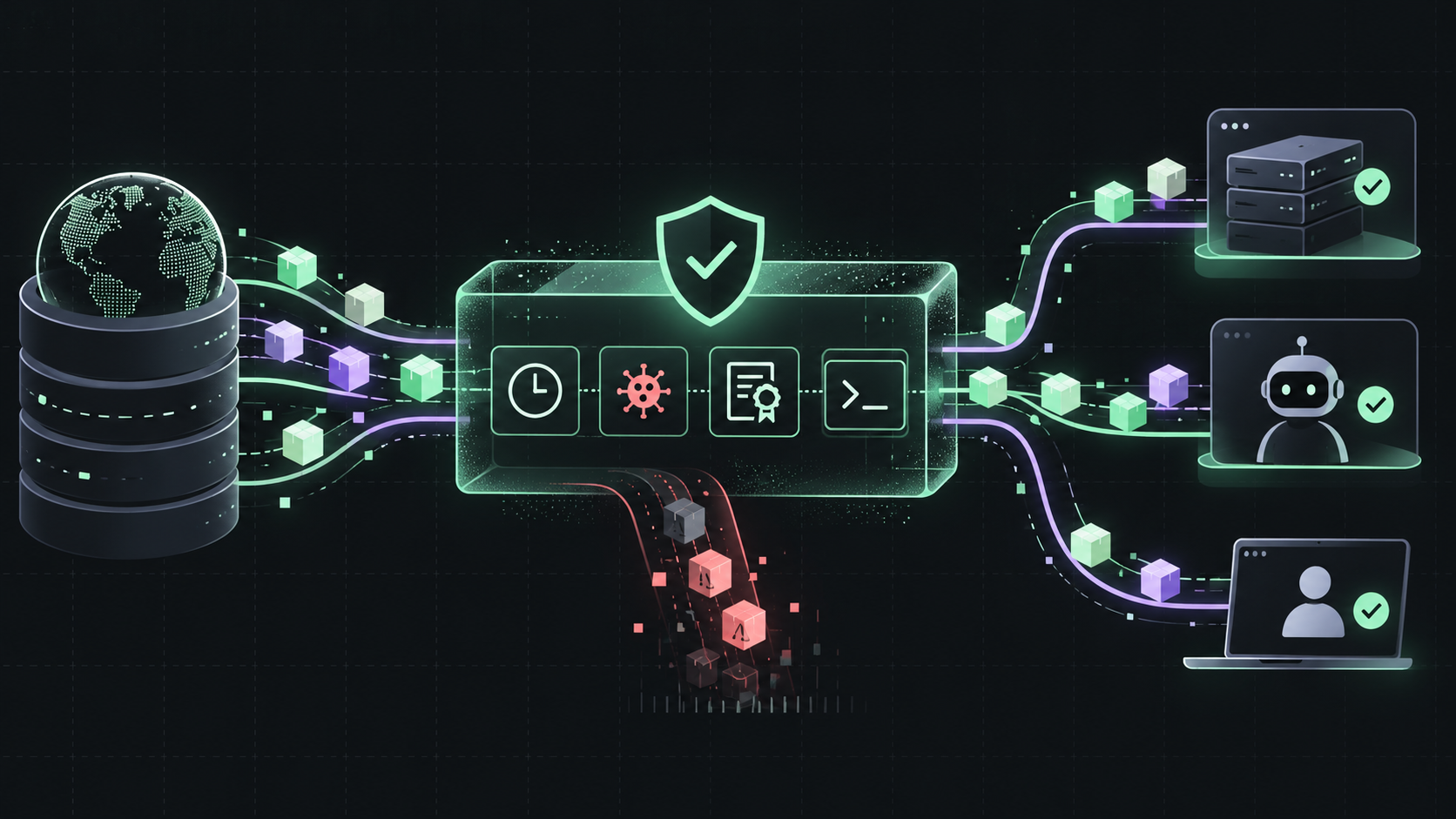
A package install is an execution boundary. The package manager fetches metadata, downloads an archive, and may run lifecycle scripts before your build or agent task begins. GitHub's new package firewall sits between those endpoints and upstream registries to add policy checks before the package reaches the machine.
The firewall is in public preview for GitHub Enterprise Cloud customers, including GitHub Enterprise Cloud with data residency. It is free during preview, currently supports npm packages only, and GitHub says metered usage pricing will apply when the service reaches general availability.
What the package firewall checks
Administrators configure policy at the enterprise level. The current controls cover several different failure modes:
Known malware: check the GitHub Advisory Database for active malware advisories. This is on by default.
Vulnerability advisories: block packages at a chosen minimum severity, from Critical only through Any severity. The default is Critical only.
Attestation downgrades: block a version when an earlier version had SLSA attestations and the requested version does not. This is on by default.
New install scripts: block packages that recently introduced scripts such as preinstall or postinstall.
Package age: enforce a cooldown for newly published versions. The default is one day; the setting accepts one to 365 days, or zero to disable it.
The firewall only works when traffic uses it
The package firewall is not a report layered on top of a normal npm install. Configure your endpoint to request packages through the firewall instead of directly from the public registry. Metadata requests and package downloads then pass through the same policy gate.
For a direct npm setup, GitHub documents a registry URL in the form https://package-firewall.githubapp.com/npm/ENTERPRISE. Follow the current setup guide for authentication and endpoint-specific configuration rather than copying a token into a repository or a committed .npmrc file.
The same routing rule matters for internal proxies. If a virtual registry has one remote that goes through the firewall and another remote that goes directly to public npm, the direct remote can bypass the policy. Remove that bypass or make the routing decision explicit.
Where to use it first
Start with CI runners and agent workspaces that install dependencies without a developer watching the terminal. These environments are good canaries because they have a repeatable dependency graph and a clear owner for each blocked install.
Choose one representative build or agent pool and route its npm traffic through the firewall.
Record blocked package, version, policy, repository, and build context without logging credentials.
Fix stale or unnecessary dependencies before creating exceptions.
Expand to other CI runners, AI agents, and local development after the exception flow has an owner.
Treat exceptions like production changes
A blocked npm install includes a URL for requesting an exception. The request is prefilled with the repository, ecosystem, package, and version. The reviewer should still ask why the package is needed, whether a patched version exists, whether the dependency can be removed, and whether the exception should cover one version or a wider range.
Enterprise administrators and security managers can review requests. An approval can be narrow, but the documentation also allows an override such as an asterisk for all versions. Avoid broad overrides unless the package is controlled by your organization and the owner accepts the supply-chain risk.
Permissions and ownership
Enterprise administrators and enterprise security managers can configure the policy by default. GitHub also documents a custom fine-grained permission called Edit enterprise-level package firewall policy, which lets you delegate policy management to a team or individual without making them an enterprise administrator.
Separate policy ownership from exception approval where possible. The person setting the cooldown or malware controls should not be the only person who can approve a package that the policy blocks. This gives urgent fixes a path without turning every block into a silent bypass.
What the preview does not solve
The firewall currently covers npm only, and the service is still in public preview. It is not a replacement for lockfile review, dependency pinning, least-privilege CI tokens, or sandboxing untrusted build steps. A package can pass the configured checks and still be wrong for your application.
Use it as an install-time policy gate, then keep the rest of your supply-chain controls. The strongest rollout is additive: route installs through the firewall, measure what it blocks, and keep your existing review and update process in place.
The practical takeaway
GitHub package firewall gives Enterprise Cloud teams a central way to slow down suspicious npm installs before they reach CI runners, AI agents, or developer machines. Start with a canary, eliminate direct-registry bypasses, make exceptions narrow and reviewable, and measure the operational cost before expanding the policy.
Sources: GitHub Changelog: package firewall public preview; Protecting endpoints with GitHub package firewall.